Pricing audit · 12 November 2026
Framer Pricing 2026: What Each Plan Really Costs You
Plan limits, add-on rates, AI credits and what customers say on three review platforms, read from a WordPress practitioner's side of the bench.
Summary
Framer pricing looks simple: Free at $0, Basic at $10 a month, Pro at $30. The detail is in the limits. Basic stops at 30 pages and 2 CMS collections, Pro at 150 pages, and extra pages, items and bandwidth are billed on top, taking our worked example to $150 a month. AI credits add a second meter. G2 scores Framer 4.5 from 156 reviews, Trustpilot 1.6. Our verdict: 6.8 out of 10.
Framer pricing is cheap at the door and metered everywhere else. Basic costs $10 a month for 30 pages, Pro $30 for 150, and every extra collection, page bundle or 100 GB of bandwidth is billed on top. It suits a designer shipping a marketing site, less so a content-heavy build that must stay portable.
- Design control
- 9/10
- Pricing clarity
- 5/10
- Value at scale
- 5/10
- AI credit economics
- 4/10
- Portability
- 4/10
- Free plan with 500 AI credits a month and no card needed to design
- Pro at $30 adds staging, branching and redirects, which WordPress hosts often charge extra for
- Add-on rates are published per unit, so a bill can be forecast before you commit
- Basic caps you at 30 pages and 2 CMS collections, which most blogs outgrow within a year
- AI agent credits are metered, and reviewers report hundreds of credits spent on trivial edits
- No full code export: two reviewers on G2 describe the lock-in as the real cost of leaving
Prices from framer.com/pricing, read 12 November 2026
How we audited the pricing
- Tested for
- 3 days
- Plan paid
- None (free plan and public pricing page only)
- Version tested
- Framer pricing page and editor marketing pages, 12 November 2026
- Test period
- 2026-11-10 → 2026-11-12
This is a pricing and reputation audit, not a 30-day hands-on test, and we say so up front. Between 10 and 12 November 2026 we read Framer's live pricing page line by line, captured the page, and recorded every plan limit and add-on rate. We then read the public review pages on G2, Capterra and Trustpilot and noted the score, the volume and the recurring complaints and praise. We cross-checked the competitor seat prices against a Zapier comparison dated 2026. We did not run a paid project, so build speed, editor lag and agent output quality are reported from reviewers, never claimed as our own measurements. Anything we could not verify, such as the monthly-billing price, is flagged in the text.
Is Framer's pricing right for you?
YES if you...
- Designers and small studios shipping marketing sites or portfolios under 150 pages
- Teams that want staging, branching and redirects without assembling a hosting stack
- Freelancers who bill the site fee to the client and can pass on the add-ons
NO if you...
- Publishers running a blog or docs site that will pass 1,000 CMS items quickly
- Agencies who need to hand over portable code at the end of a project
- Anyone planning to rely on the AI agent without a credit budget
- Teams who need e-commerce, which reviewers call limited
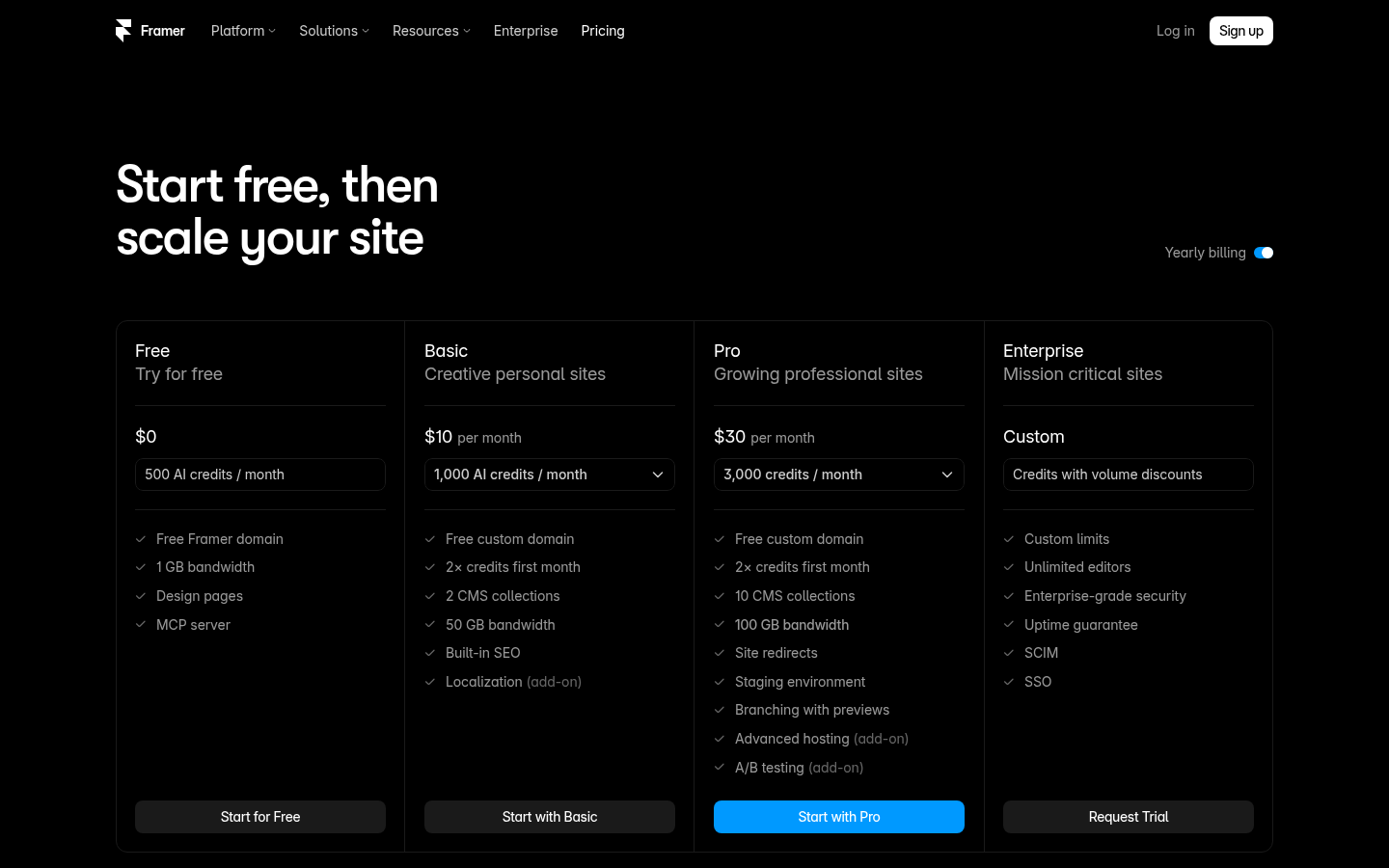
Framer plans and limits, November 2026
Prices are per month on yearly billing. Limits are read from the live pricing page.
Free
Design and prototype
- 500 AI credits a month
- Free Framer domain
- 1 GB bandwidth
- MCP server (preview)
Basic
Creative personal sites
- 30 pages
- 2 CMS collections, 1,000 CMS items
- 50 GB bandwidth, 20 CDN locations
- From 1,000 AI credits a month
- Free custom domain on yearly billing
Pro
Growing professional sites
- 150 pages
- 10 CMS collections, 2,500 CMS items
- 100 GB bandwidth, 300+ CDN locations
- From 3,000 AI credits a month
- Redirects, staging, branching with previews
Enterprise
Mission critical sites
- Custom limits and volume credit discounts
- Unlimited editors
- SSO, SCIM, uptime guarantee
ROI breakdown: Worked example from the listed unit rates: Pro at $30, plus one extra block of 10 collections ($40), 100 more pages ($20), 10,000 more CMS items ($20) and 100 GB more bandwidth ($40) comes to $150 a month before seats. Zapier puts matching Webflow's CMS capacity at around $190 a month.
Hidden costs & gotchas
- Extra design editors cost $20 a month each and content editors $10
- Pages beyond 150 cost $20 per 100, up to a cap of 700
- Bandwidth beyond 100 GB costs $40 per 100 GB, up to 2 TB
- Localization costs $20 per locale; advanced hosting is $200
- A G2 reviewer states monthly billing costs nearly twice the yearly rate; we could not verify the monthly figure
What the pricing page and CMS look like
The numbers behind the plans
Every figure below was read on 10-12 November 2026 from the named source.
- Entry paid plan
- $10 per month Basic: 30 pages, 2 collections, 1,000 items, 50 GB (framer.com/pricing)
- Pro plan
- $30 per month 150 pages, 10 collections, 2,500 items, 100 GB (framer.com/pricing)
- Page limit jump Basic to Pro
- 5x 30 pages to 150 pages for a 3x price increase
- Worked add-on bill on Pro
- $150 per month Pro plus one unit of each add-on at listed rates, before seats
- G2 score
- 4.5 / 5 156 reviews, 76% five-star (g2.com, 10 Nov 2026)
- Capterra score
- 4.3 / 5 38 reviews; ease of use 3.7, customer service 3.8
- Trustpilot score
- 1.6 / 5 152 reviews, 78 in the last 12 months
What do you actually get for $10 a month on Basic?
What does the agent cost in practice?
Pros & cons
Pros
- Pro includes staging, branching and redirects These ship in the $30 plan. On a WordPress stack you usually assemble them from a host and plugins.
- Unit prices for add-ons are published Pages, collections, CMS items and bandwidth each have a listed rate and a maximum, so the bill is predictable.
- Strong design control per G2 reviewers Ease of use and the Figma import are the most repeated praise on G2, with 76% of 156 reviews at five stars.
Cons
- Page and collection caps arrive early on Basic 30 pages and 2 collections are tight for a site with a blog, a docs section or case studies.
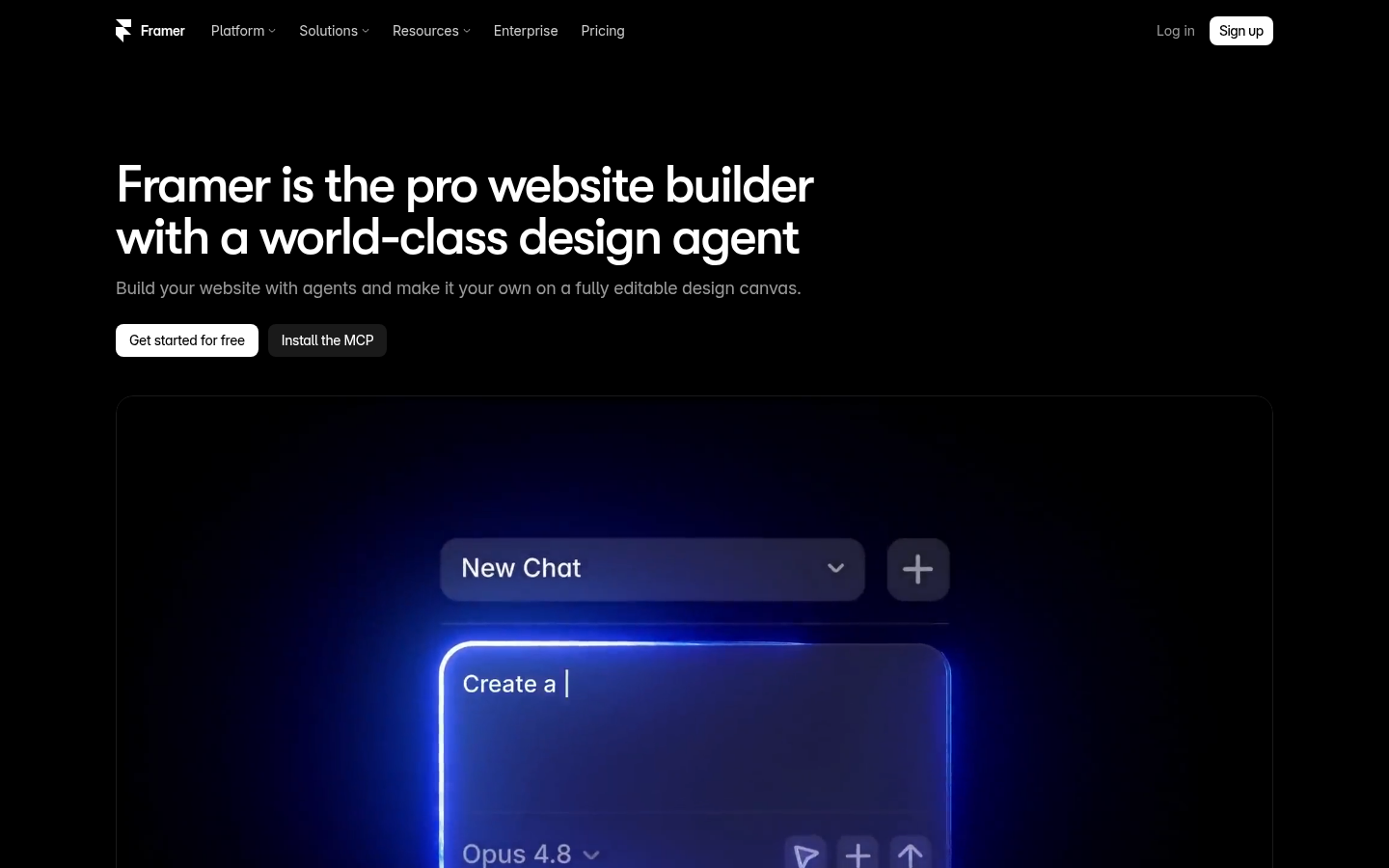
- AI credits make the agent a metered expense Trustpilot reviewers describe large credit use for small edits, and credits are shared across the whole workspace.
- Leaving Framer means a rebuild, according to reviewers Two reviewers state there is no code export. We did not test export ourselves, so check this before you commit.
- Trustpilot sentiment on billing and support is poor A 1.6 score over 152 reviews, with billing surprises and slow support as recurring themes, is a risk signal even if G2 is warm.
Final verdict on Framer pricing
Framer's headline prices are fair for what a designer gets: a visual canvas, hosting, staging and branching for $30 on Pro. The cost story changes the moment content grows. Pages, collections, CMS items and bandwidth are all sold in blocks, and our worked example reached $150 a month before a single extra seat.
The AI agent adds a second meter that reviewers say empties quickly, and we cannot forecast it for you.
For a portfolio, a launch page or a marketing site under 150 pages, Framer is a reasonable buy and the free plan lets you judge the editor first. For a publishing site that will grow, or for client work that must be handed over as portable code, the lock-in reported by reviewers should weigh more than the sticker price. Marginalia: run your real page count and collection count against the table above before you pick a plan.
- Design control 9/10 The strongest point in G2 praise
- Pricing clarity 5/10 Unit rates are listed, monthly price unverified
- Value at scale 5/10 $150 in our worked example
- AI credit economics 4/10 Metered and criticised by reviewers
- Portability 4/10 No code export per two reviewers
- Support (per reviews) 4/10 Trustpilot 1.6 over 152 reviews
Framer pricing questions
How much does Framer cost per month?
Is Framer free to use?
What are Framer AI credits?
Is Framer cheaper than Webflow?
Why is Framer rated 1.6 on Trustpilot but 4.5 on G2?
Can I export a Framer site to code?
Update log
- Initial pricing audit: plan limits, add-on rates, AI credits and ratings from G2, Capterra and Trustpilot.